OnlyRouter Switch
0.1.5Codex 一键配置。 把 app 拖到「应用程序」后,终端执行一次: xattr -cr "/Applications/OnlyRouter Switch.app" 然后正常双击即可。(或者:右键点 app → 打开 → 弹窗里再点「打开」,只需第一次。)
Choose an installer for your operating system and processor architecture. We could not detect this device. Choose an installer from the appropriate system group.
macOS
Apple silicon and Intel installers are not interchangeable. Open About This Mac to check the Chip or Processor field.
Windows
Choose ARM64 for ARM devices such as Surface Pro X. Most other PCs use x86_64.
Configuration guide
Complete these steps after installation.
- 01
Download and install OnlyRouter Switch
Open the software downloads page and choose the Windows or macOS installer. Launch OnlyRouter Switch and allow the local configuration access requested by your system.
- 02
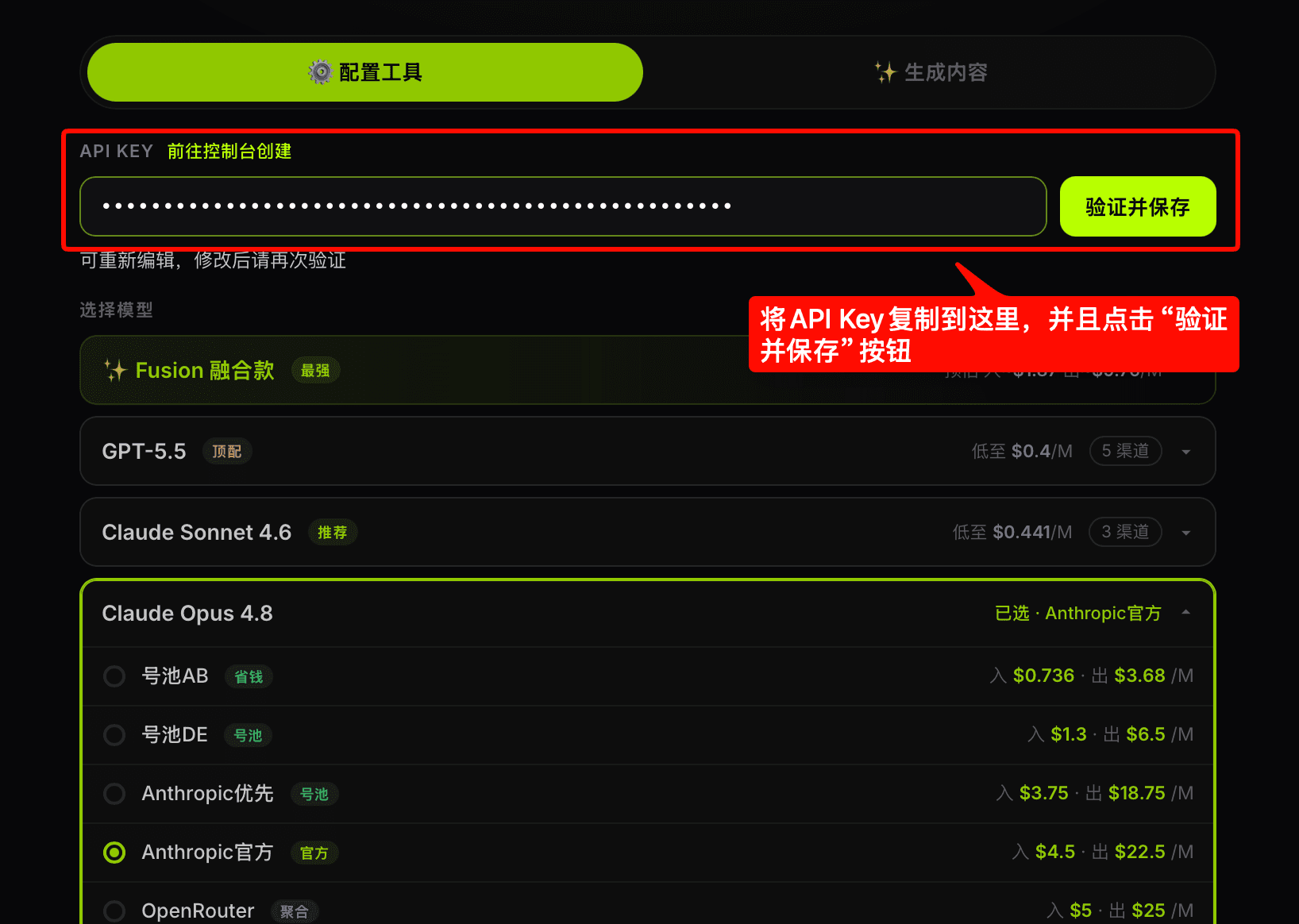
Add an API key in OnlyRouter Switch
Create or copy a dedicated Codex or Claude Code token from API Keys, then return to OnlyRouter Switch and enter it. Separate keys by client to manage limits, revocation, and usage more easily.
- 03
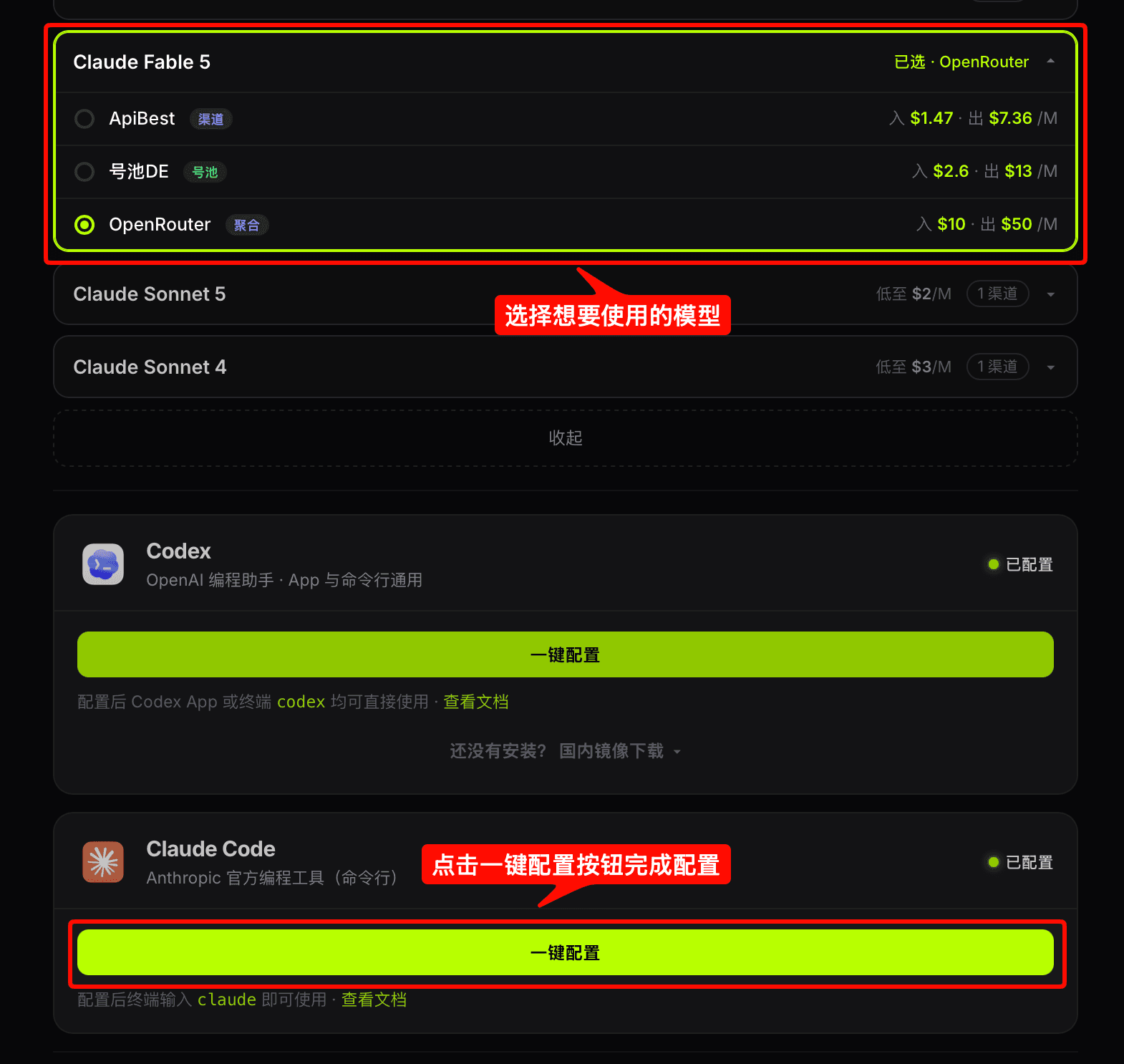
Configure with one click
Choose a model, then use the Codex or Claude Code one-click configuration button.
- 04
Restart the client and verify
For command-line tools, stop the current process, reopen your terminal, and run Codex or Claude Code again. For desktop apps, quit the app completely and reopen it. Send a short request and confirm it appears in your dashboard usage records.
For manual configuration, CC Switch, and other client guides, see the complete integration docs.